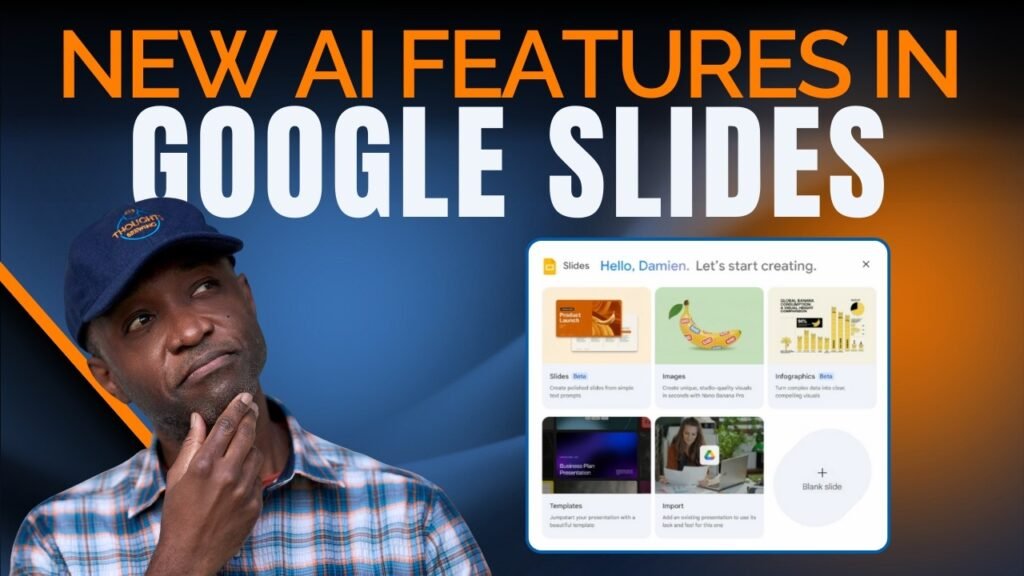


Google has quietly added a bunch of new AI features to Google Slides. In this video, I go hands-on with the new “Help me visualize” tool to see if it can really replace your manual design workflow.
I test the new beta features for creating full slide decks and detailed infographics directly from a single prompt. While the results are visually stunning and feature accurate text (unlike some competitors), I also uncovered a significant limitation regarding editability that every power user needs to know.
The “Help Me Visualize” Blueprint:
– Access the Beta: Learn how to find the new banana icon in the sidebar to trigger the AI generation menu.
– Infographic Testing: Watch as I generate a “Beginner’s Guide to Making Toast”.
– Slide Deck Automation: I challenge Gemini to build a marketing plan for an adventure wedding drone photography business.
– The “Static” Catch: I reveal why these AI-generated slides might be harder to edit than you think—currently appearing as static images rather than individual text elements.
Request a Topic: Have a specific AI tool or workflow you want us to cover? Request a video here: https://thoughtsbrewing.com/en-us/youtube-video-request-page?utm_source=youtube
#GoogleSlides #NanoBanana #AIWorkflows #AIQuickTips #ThoughtsBrewing
️ Level Up Your AI Workflow: Apply for a Next-Level AI Workshop today! https://thoughtsbrewing.com/en-us/next-level-ai-workshops?utm_source=youtube
️ Subscribe to Thoughts Brewing: https://www.youtube.com/@thoughtsbrewingllc
️ Follow my blog: https://thoughtsbrewing.com/en-us/blog-subscription?utm_source=youtube
Timestamps
0:00:00 – Intro: The Latest AI Features in Google Slides
0:01:18 – Reviewing the “Help me visualize” Sidebar Icon Options
0:02:03 – Tutorial: Generating AI Infographics in Google Slides
0:04:12 – Tutorial: Generating a Slide Deck from a Prompt
0:06:40 – LIMITATION: Why You Might Not Be Able to Edit the Text
0:09:20 – Recap: Using Nano Banana Pro in Google Slides
Keywords
Google Slides AI, Google Slides Tutorial, Google AI, Gemini in Google Slides, Gemini in Slides, Nano Banana Google Slides, Gemini Slides AI, Google Slides Infographics AI, Google Slides Image Generation, Nano Banana Pro, Nano Banana in Slides, AI Quick Tips, Thoughts Brewing, Damien Griffin, Infographics in Google Slides
Source